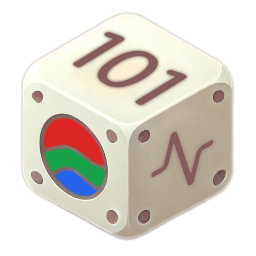
The Cube
Started on 07/22/2024
32 hours in total
An IoT input/output device equipped with RGB LEDs and various sensors allowing for advanced gesture recognition.


Details
What is it?
The Cube is a small but mighty customizable control and feedback device. Meaning it is able to notify a user by lighting up LEDs in any color, and can be interacted with to perform an action.
The Cube can be controlled via the web interface, allowing the user to change the color of the LEDs. It is able to detect the amount of light in the room. In the future I would like to use this to adjust the brightness of the LEDs based on the ambient brightness.
The Cube is able to recognize customizable gestures that can preform actions like sending a text or controlling a light. At the moment customization required new code to be uploaded to the cube. However, in the future I would like to add a simple dashboard that allows adding, editing, and removing gestures.
Physically the Cube is an old Minecraft Redstone Ore desk toy that I gutted and replaced the internals with a micro-controller and a myriad of sensors.
Features
Hardware
- 12v Barrel Jack Power Input
- WiFi (ESP8266)
- Accelerometer/Gyroscope (MPU6050)
- LDR (Light Dependent Resistor)
- RGB LED Strip
Software
- Web Interface
- RGB Color Picker
- Minecraft Ore Color Presets
- Network Configuration
- Customizable Gesture Recognition
- Is able to recognize a custom set of gestures. i.e. moving up, then down, the twisting back and forth
- Recovery Mode (May change in the future)
- When the cube is unable to connect to the network it know it will enter recovery mode which will search for a network specified in the
.envfile. (This can be a phone hotspot) - Once connected the network details can be updated via the web interface.
- When the cube is unable to connect to the network it know it will enter recovery mode which will search for a network specified in the
How does it work?
Setup
The Cube has a lot going on under the hood. When it's powered on it goes through a series of setup steps:
- It initializes the GPIO pins for the LED strip and the LDR.
- Then it initializes the EEPROM to fetch the saved network details.
- After that it mounts the SPIFFS file system and fetches the
.envfile containing settings, along with the certificates to securely connect to HiveMQ. - It will then connect to WiFi, sync the time, and connect to the HiveMQ MQTT server.
- Finally, it will setup up the MPU6050 Gyroscope and Accelerometer by calibrating them for 1280ms. The Cube should be left on a flat surface during this time.
Or from the Cube's point of view:
1Hello! :)
2The Cube: A project by Daniel Stoiber.
3https://danielstoiber.com/project/cube
4Starting setup...
5Connecting to [NETWORK NAME]
6..........
7Connected to [NETWORK NAME]
8IP address: x.x.x.x
9Waiting for NTP time sync: ....
10PST Mon Jul 22 08:35:00 2024
11Number of CA certs read: 171
12Starting MPU6050 Calibration in 3 seconds...
13Calibrating MPU6050...
14Calibration offsets: aX: #.##, aY: #.##, aZ: #.##, gX: #.##, gY: #.##, gZ: #.##
15Calibration complete.
16Setup complete!
17Connected!
Gesture Recognition
Once the setup is complete the Cube will start listening for gestures. I went through many iterations of the gesture recognition algorithm before I settled on the current one. I tried everything from simple if statements with some thresholds, to an attempt at TinyML. In the end I settled for something somewhere in the middle. In an attempt to demystify the gesture recognition system have sketched out how the program works in the diagram below. The current algorithm works as follows:
- Every 10ms (or so) the Cube reads the MPU6050 values and calculates the Exponential Moving Average(EMA) of the values, smoothing spikes in the noisy data.
- Readings are stored in a struct:
{aX, aY, aZ, gX, gY, gZ}
- Readings are stored in a struct:
- If the EMA of the MPU6050 reading is above a certain threshold, the Cube will start recording.
- While recording, the Cube takes a reading every 10ms and performs k-means clustering to group strong and weak axes. It only returns the axes with strong movement, setting the other axes to 0. This is to further filter out noise when there is a clear axis or axes of movement.
- It then stops recording when the buffer is full, or when the movement stops for long enough.
- The buffer is then down-sampled to a third to reduce memory usage and avoid crashes.
- A peak-valley detection algorithm is then used to extract a series of movements from the buffer.
- This array of movements is then compared to a series of predefined gestures.
- A match percentage is calculated for each gesture by comparing the movements to each gesture, rewarding for matching gestures in the same order, and penalizing for extra movements throughout.
- The highest match percentage, over a certain threshold, is then sent published on an MQTT topic.
 Figure 1: Cube gesture recognition program design diagram.
Plan for the Future
This project started off as a fun side project to see if I could modernize the original desk toy. Somewhere along the way it turned in to so much more. I identified a real problem, and noticed that this might be my solution.
Future Features
- LDR Adaptive Brightness (In Progress)
- Gesture management system (In Progress)
- Manual gesture sequence builder
- Gesture sequence recording
- mmWave Human Presence Sensor (Maybe)
- Tip Over Detection
- Upside Down Detection
- Modern IMU Multi-step value gestures How it works:
- You perform a gesture to enter a specific value editing mode (will light up a certain color to indicate)
- Sliding the cube backward or down will decrease the value, and sliding the cube forward or up will increase the value.
- Finally, performing the original gesture will exit value editing mode.
Use case: You lift the cube and place it back down to enter brightness control mode, then moving the cube forward/right will increase the brightness of another light in the room. Moving the cube backward/left will decrease the brightness.
Images
Swipe for more...
© 2026 Daniel Stoiber
Built with ❤️ and purpose.